Windows laptop without a dedicated GPU
80 €For devices with active cooling only.
Cooling-system, screen and keyboard cleaning, checking and tightening accessible screws, and ARCTIC thermal paste.
Fan noise, heat and cooling
We clean fans, heatsinks and air vents in laptops and desktop PCs. For gaming laptops, we also offer servicing with thermal paste, liquid metal or PTM, depending on the cooling system.
Laptops and desktop PCs
A loud fan or a computer that shuts down may need more than cleaning. Damaged cooling parts, sensor or power faults, and programs putting a heavy load on the computer can cause similar symptoms.
Tell us what happens and when. That helps us decide what to check. Fanless laptops do not need a fan-cleaning service.
What we do
We explain the work before opening your device or starting a paid service.
Symptoms
These are common reasons to bring it in for a check.
Prices
The options below cover different types of laptop and desktop PC. We confirm which service your device needs before we start.
All prices include VAT.
For devices with active cooling only.
Cooling-system, screen and keyboard cleaning, checking and tightening accessible screws, and ARCTIC thermal paste.
For gaming laptops with a dedicated GPU, such as NVIDIA GeForce or AMD Radeon.
Cooling-system, screen and keyboard cleaning, checking and tightening accessible screws, ARCTIC thermal paste and suitable thermal materials for VRAM, inductors and voltage regulators.
Everything in Plus, using high-performance Thermal Grizzly materials. Gaming laptop ranges include ASUS ROG, Lenovo Legion, Acer Predator, MSI Raider and Razer Blade. We choose liquid metal or PTM to suit the laptop's cooling system. Available for compatible models.
Cooling-system cleaning, checking and tightening accessible screws, and standard thermal materials.
Faulty fans and other replacement parts cost extra.
These VAT-inclusive surcharges apply only when we carry out another paid repair at the same time. For cleaning on its own, use the prices above.
A quick initial check at the counter is free. This does not include opening or dismantling the device.
Visiting the workshop
Tell us the model, when the noise or heat occurs, whether the computer shuts down and whether it has been opened before. We will look at it with you and agree on the next steps before starting work.
Frequently asked questions
No. Cleaning can help with dust and blocked airflow. It does not repair damaged components or solve a software problem.
That depends on its condition, the cooling system and contact with the heatsink. We replace paste and pads where needed and match the pads to the required thickness and position.
They often have several fans, heatpipes and thermal pads. We check the model to see which materials and work it needs.
No. Dust, blocked airflow or demanding software can make a working fan run loudly. We recommend replacement if the fan itself has a mechanical or electrical fault.
From our workshop
Photos and short stories from our daily work. Click a photo to enlarge it.
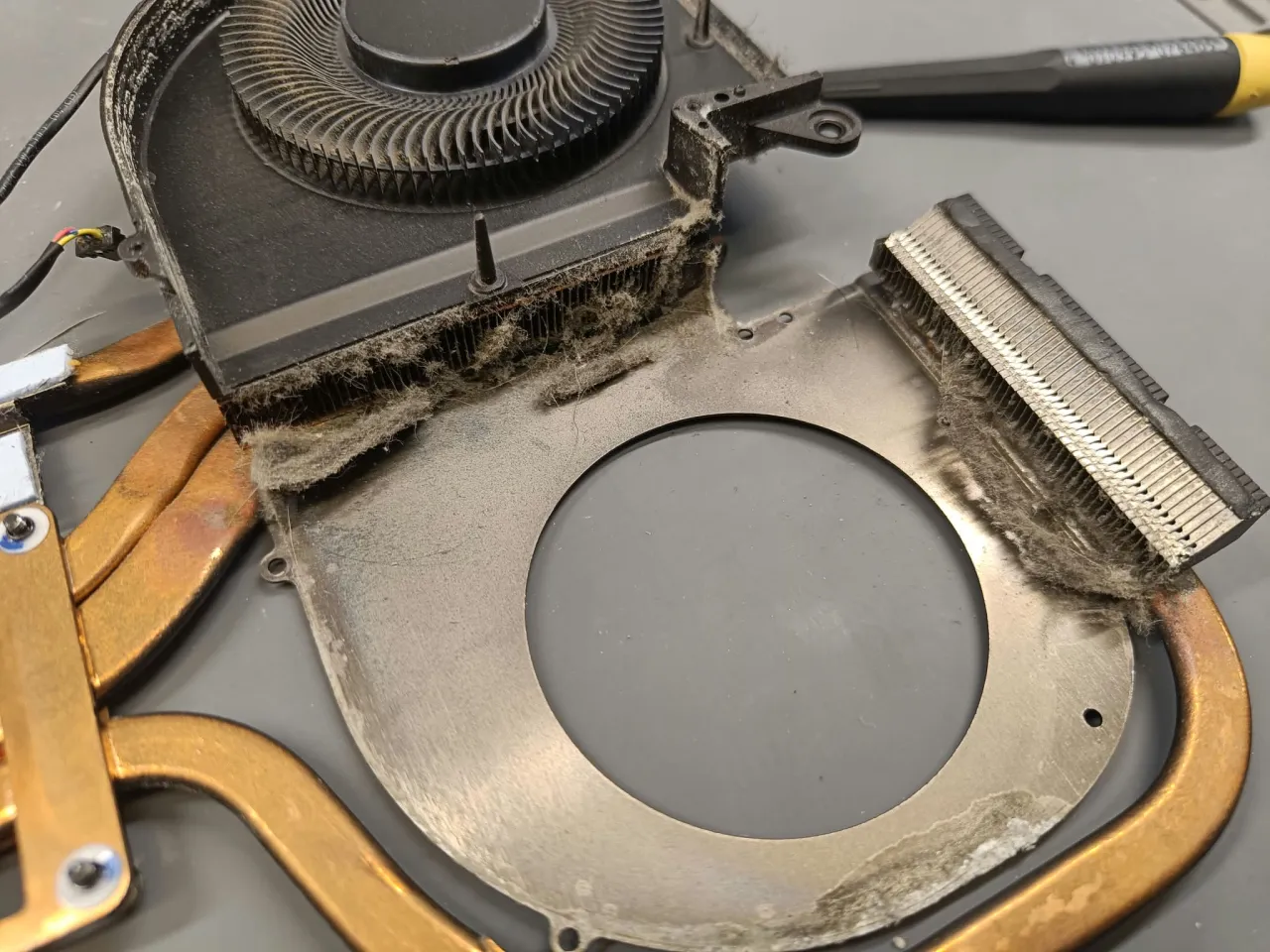
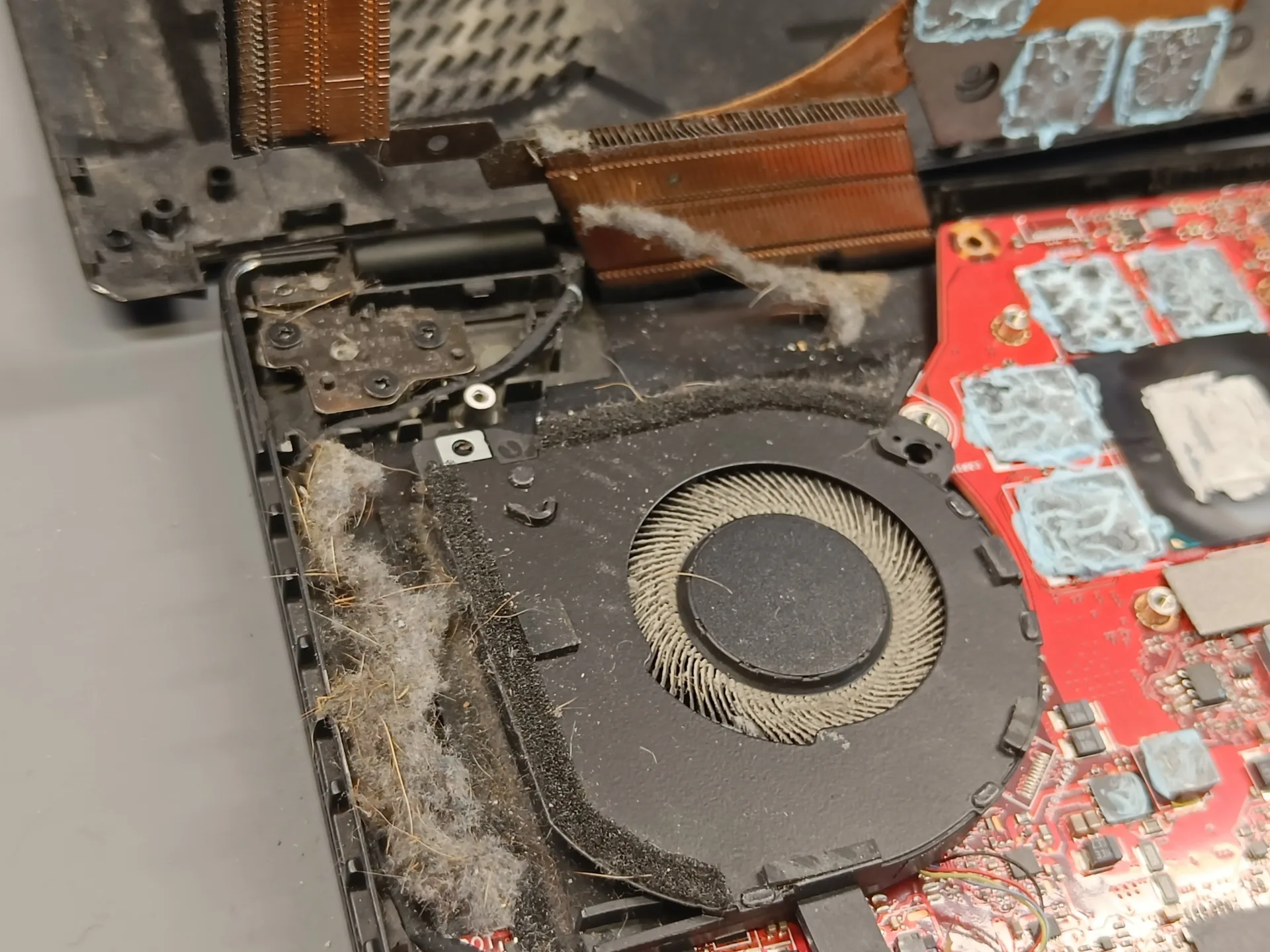
You often cannot see this buildup from the outside. Here, a thick mat of dust had formed between the fan and the heatsink fins, right where air needs to pass to carry heat out of the laptop.
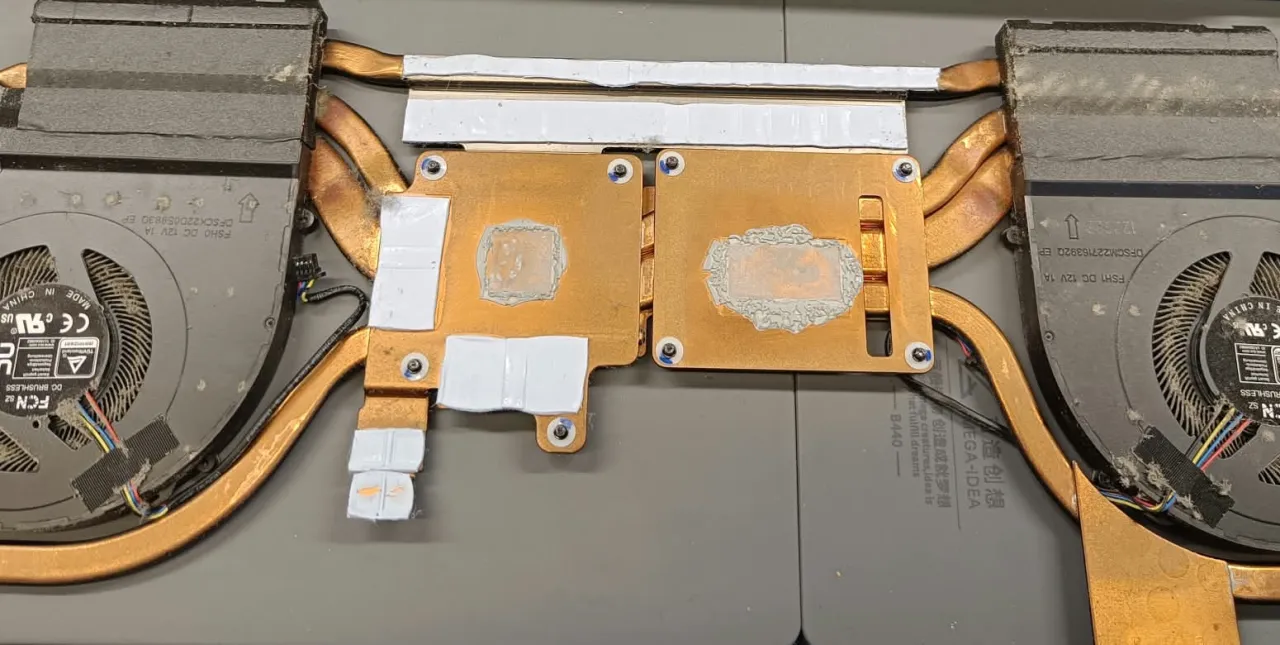
On this device, we cleaned the cooling system and renewed the thermal materials. The photos show the dust in the removed assembly and another view of the cooler during the work.